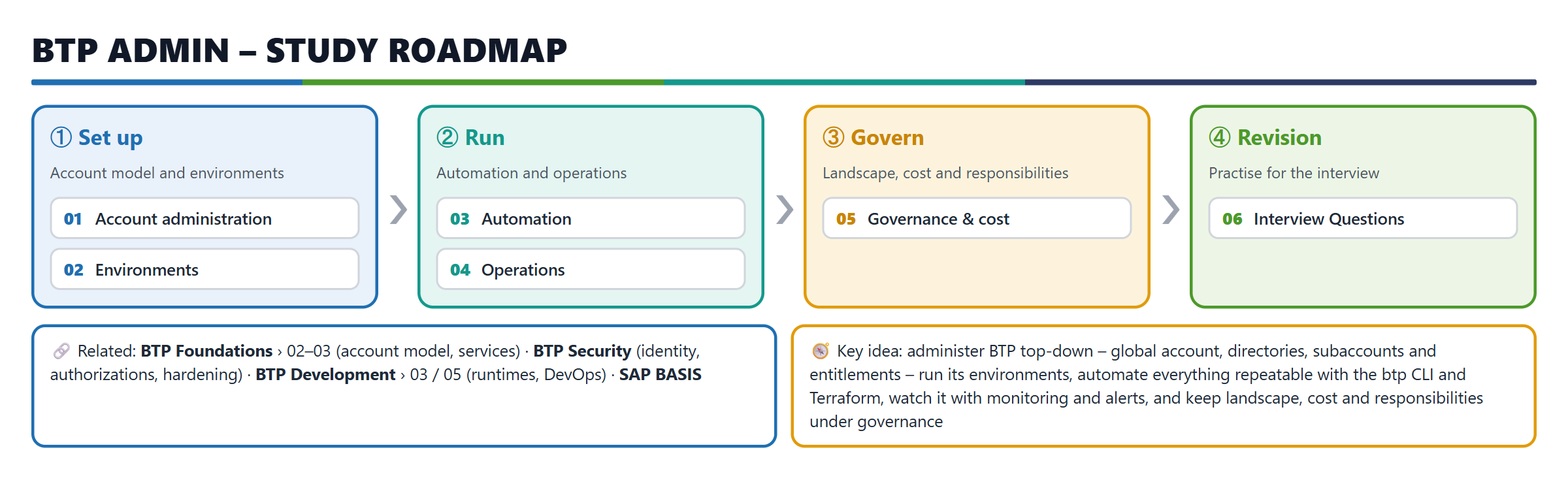
Your SAP BTP administration notes at administrator and architect depth – setting up, running, automating and governing the platform – organised into 5 topic pages in study order. Security (identity, authorizations, connectivity and platform security) has its own section, BTP Security. Start here, follow the roadmap, and use the links to jump to a page.
Pages in this section
Page | What you learn |
|---|---|
01 · Account Administration – Global Account, Directories, Subaccounts & Entitlements | Global account and directory administration, subaccounts, regions and environments, entitlements and quotas, labels, administrators, service subscriptions and instances, account-level limits |
02 · Environment Administration – Cloud Foundry, Kyma & ABAP Environment | Cloud Foundry orgs, spaces, members, quotas and security groups; Kyma clusters, namespaces, modules and access; ABAP environment systems, users, business roles, catalogs and communication arrangements |
03 · Automation – btp CLI, Terraform Provider, APIs & Automation Pilot | btp CLI login, targets and common commands, the Terraform provider for SAP BTP (resources, state, pipelines), BTP REST APIs and service-manager automation, SAP Automation Pilot, landscape-as-code |
04 · Operations & Monitoring – Cloud ALM, Alerts, Logging & Transport | SAP Cloud ALM operations, health and job monitoring, Alert Notification, SAP Cloud Logging, Cloud Transport Management, platform updates and maintenance windows, service status, support and incidents |
05 · Governance, Cost & Landscape Design – Account Strategy & Commercial Models | Account and directory strategy, dev/test/prod landscapes, naming and labels, commercial models (CPEA, BTPEA, subscription, Pay-As-You-Go), usage and cost analytics, budgets, admin roles and responsibilities |
Every page's interview questions in one place for revision |
Related: BTP Foundations › 02–03 (account model, services); BTP Security (identity, authorizations, hardening); BTP Development › 03 / 05 (runtimes, DevOps); SAP BASIS
How to study with these notes
- Order: 01 → 02 set up the account and its environments; 03 → 04 automate and operate it; 05 design the landscape and govern cost and responsibilities.
- Hands-on: in a BTP trial, create a directory and subaccount, assign entitlements and quota, create a Cloud Foundry space and add members, script the same with the btp CLI, then subscribe to a service and check its usage in the cockpit.
- Revision: use page 06 – cover the answer, answer aloud, then check the page for depth.