Mobile apps on SAP: the options, SAP Mobile Services, the mobile development kit (MDK) in depth – metadata, rules, actions, offline – deployment and lifecycle, the native SAP BTP SDKs and security, ending with the offline Order Approval app for managers.
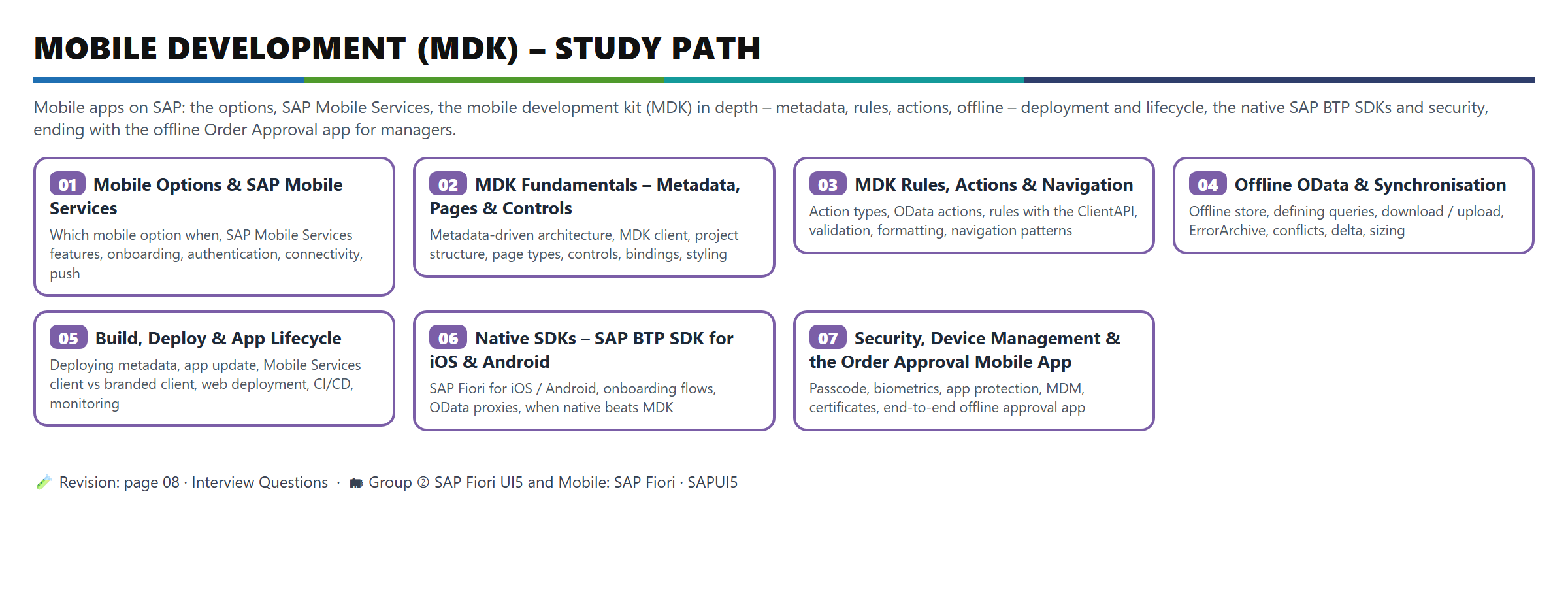
Pages in this section
Page | What you learn |
|---|---|
Which mobile option when, SAP Mobile Services features, onboarding, authentication, connectivity, push | |
Metadata-driven architecture, MDK client, project structure, page types, controls, bindings, styling | |
Action types, OData actions, rules with the ClientAPI, validation, formatting, navigation patterns | |
Offline store, defining queries, download / upload, ErrorArchive, conflicts, delta, sizing | |
Deploying metadata, app update, Mobile Services client vs branded client, web deployment, CI/CD, monitoring | |
SAP Fiori for iOS / Android, onboarding flows, OData proxies, when native beats MDK | |
07 · Security, Device Management & the Order Approval Mobile App | Passcode, biometrics, app protection, MDM, certificates, end-to-end offline approval app |
Every page's interview questions in one place for revision |
How to study with these notes
- Order: read the pages in number order – each page starts with why the topic matters, then a picture, then the details, common mistakes and interview tips.
- Hands-on: a SAP BTP trial or free-tier account is enough for almost every example.
- Revision: page 08 – cover the answer, answer aloud, then check the page for depth.
- Other sections in ② SAP Fiori UI5 and Mobile: SAP Fiori, SAPUI5.