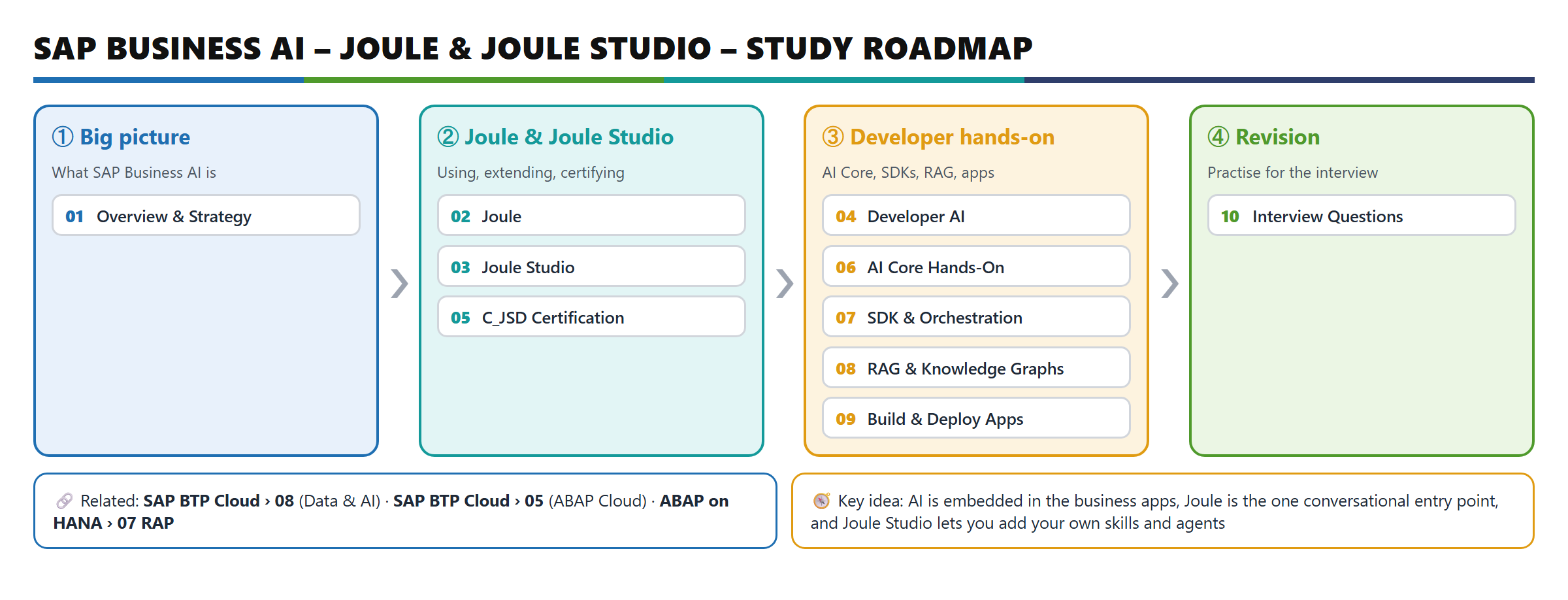
Your SAP Business AI notes – Joule, Joule agents, Joule Studio and AI for ABAP developers – at architect and developer depth, organised into 9 topic pages in study order. Start here, follow the roadmap, and use the links to jump to a page.
Pages in this section
Page | What you learn |
|---|---|
Embedded AI, Joule, AI Foundation on BTP, Business AI platform, AI units, responsible AI | |
Capabilities, Joule across SAP products, architecture and setup, Joule agents, security | |
Classic Joule Studio (SAP Build) and the new Joule Studio, skills vs agents, actions, knowledge, testing, deployment | |
Joule in ADT and BAS, ABAP AI capabilities, ABAP AI SDK, generative AI hub, clean core | |
05 · Joule Studio Developer Certification (C_JSD) – Scope, Hands-On & Exam Prep | Exam format and campaign, skill areas, custom and extended agents, Knowledge Graph, practice plan, roleplay prep |
Service key, resource groups, scenarios / configurations / deployments, deploying and calling foundation models, monitoring | |
Python SDKs, calling models, LangChain integration, orchestration: templating, content filtering, data masking, grounding | |
HANA Cloud vector engine in depth, RAG in Python, Knowledge Graph Engine with RDF and SPARQL, graph RAG | |
Reference architecture, Python backend and Streamlit, LangGraph agents calling S/4HANA, CAP + AI, deployment to Cloud Foundry | |
Every page's interview questions in one place for revision |
Related: BTP Development › 04 Data & AI (AI Core, generative AI hub, HANA vector engine) and 05 ABAP on BTP; RAP section and Clean Core › 01 Clean Core; BTP Development › 01 (SAP Build).
How to study with these notes
- Order: 01 gives the big picture; 02 → 03 Joule and building on it with Joule Studio; 04 the developer view; 05 the Joule Studio Developer certification (C_JSD); 06 → 09 the hands-on pro-code track: AI Core, the generative AI hub SDK and orchestration, RAG and knowledge graphs on HANA Cloud, and building and deploying AI apps and agents.
- Hands-on: in an SAP Build trial (if available in your region) open Joule Studio, create a simple skill that calls a public API, and test it in the Joule chat.
- Revision: use page 10 – cover the answer, answer aloud, then check the page for depth.